
Download Animotica - Movie Maker – video editing, movie maker, create videos, edit videos, slideshow maker, create movie, video tool, video creator, video editor, create video
Overview
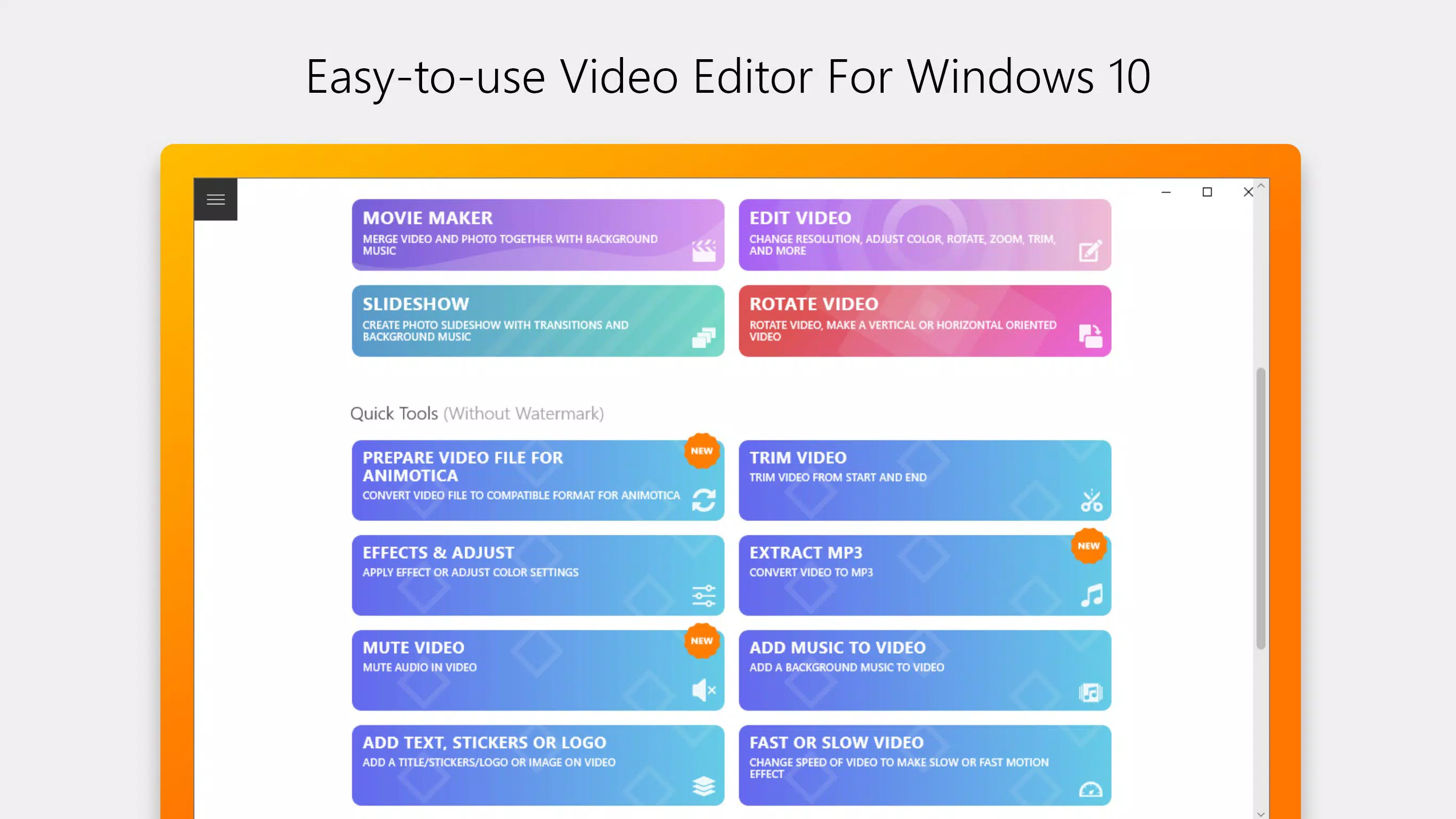
Animotica - Movie Maker is a video editing application tailored for Windows 10 users seeking a straightforward yet capable tool for crafting movies, slideshows, and personal video projects. Designed with accessibility in mind, the app enables users to join, split, and edit video clips with minimal technical barriers. Its intuitive layout makes it suitable for beginners exploring video creation while still offering enough depth to support more experienced creators. The software is particularly useful for individuals aiming to produce content for social media platforms such as YouTube and Instagram, where visually engaging, well-structured videos are essential.
By integrating photo and video elements, Animotica supports a wide range of creative workflows, from personal memory reels to promotional clips. The app addresses common pain points in video editing, such as complex interfaces, limited export options, and watermark restrictions in free versions. With a focus on user empowerment, Animotica allows creators to focus on storytelling rather than technical hurdles. Although the developer did not provide additional background on the company, the app’s long-standing presence since its release on July 25, 2017, suggests a stable and functional product within the Windows 10 ecosystem. The availability of a free version with core features, paired with a reasonably priced PRO upgrade, positions Animotica as an accessible entry point into professional-grade video creation.
Key Features & Functionality
- User-Friendly Interface: The layout is designed for smooth navigation, reducing the learning curve for new users. Elements are logically grouped, allowing quick access to essential tools without clutter.
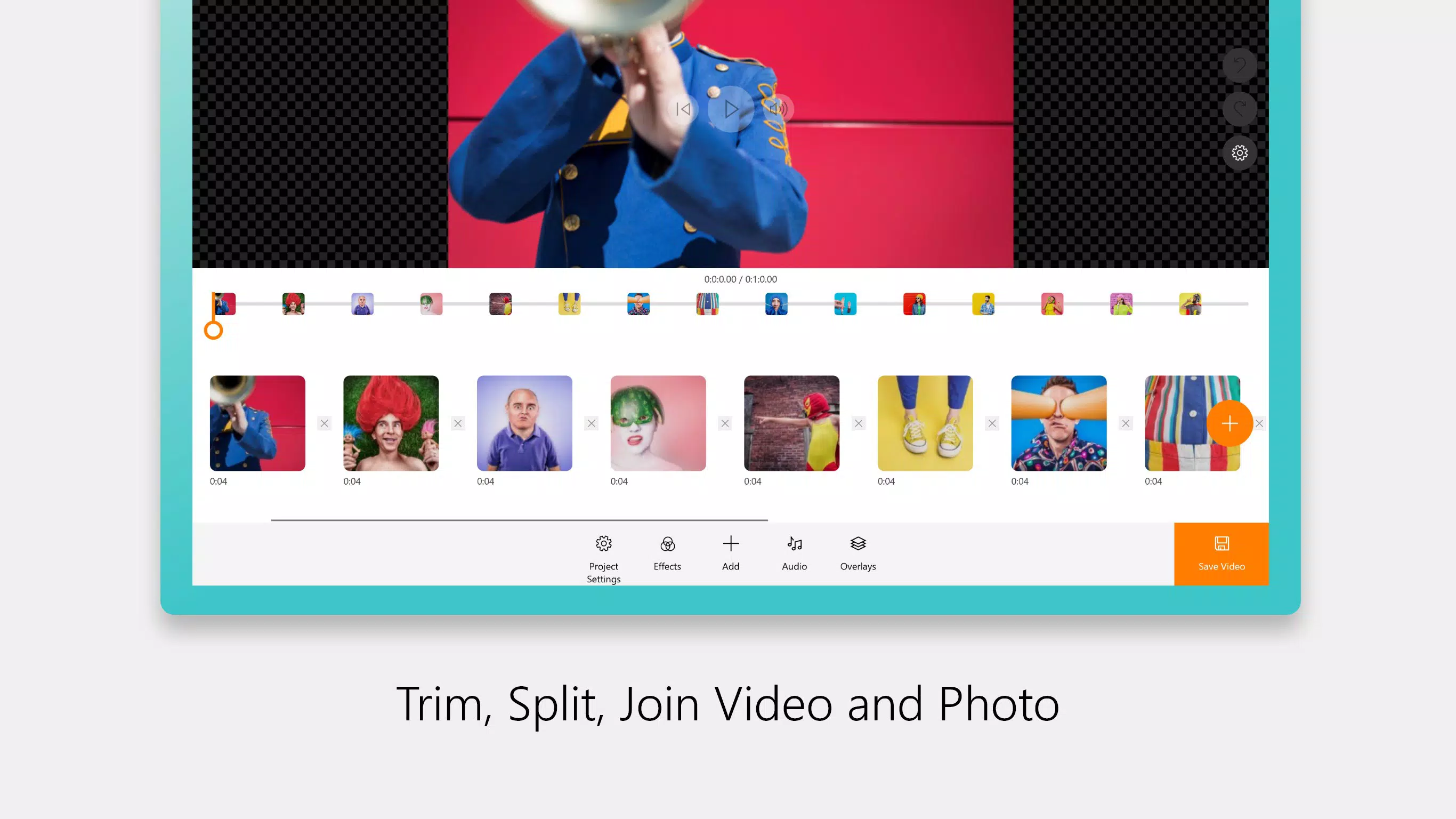
- Video and Photo Integration: Users can seamlessly combine video clips with still images, enabling the creation of dynamic slideshows or narrative-driven videos with visual variety.
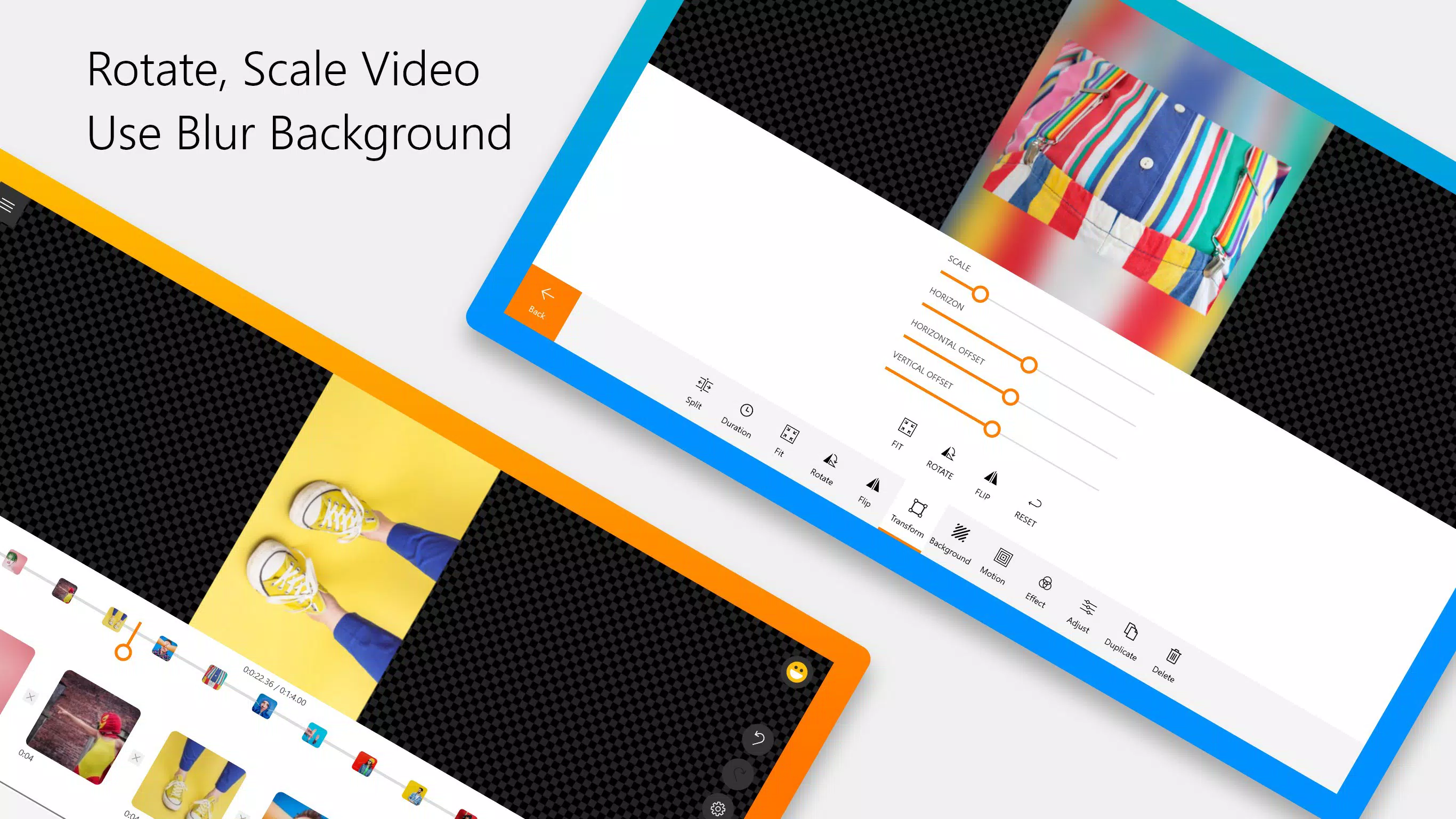
- Basic Editing Tools: Features such as trimming, cropping, and splitting allow precise control over video content, helping users refine their sequences for clarity and impact.
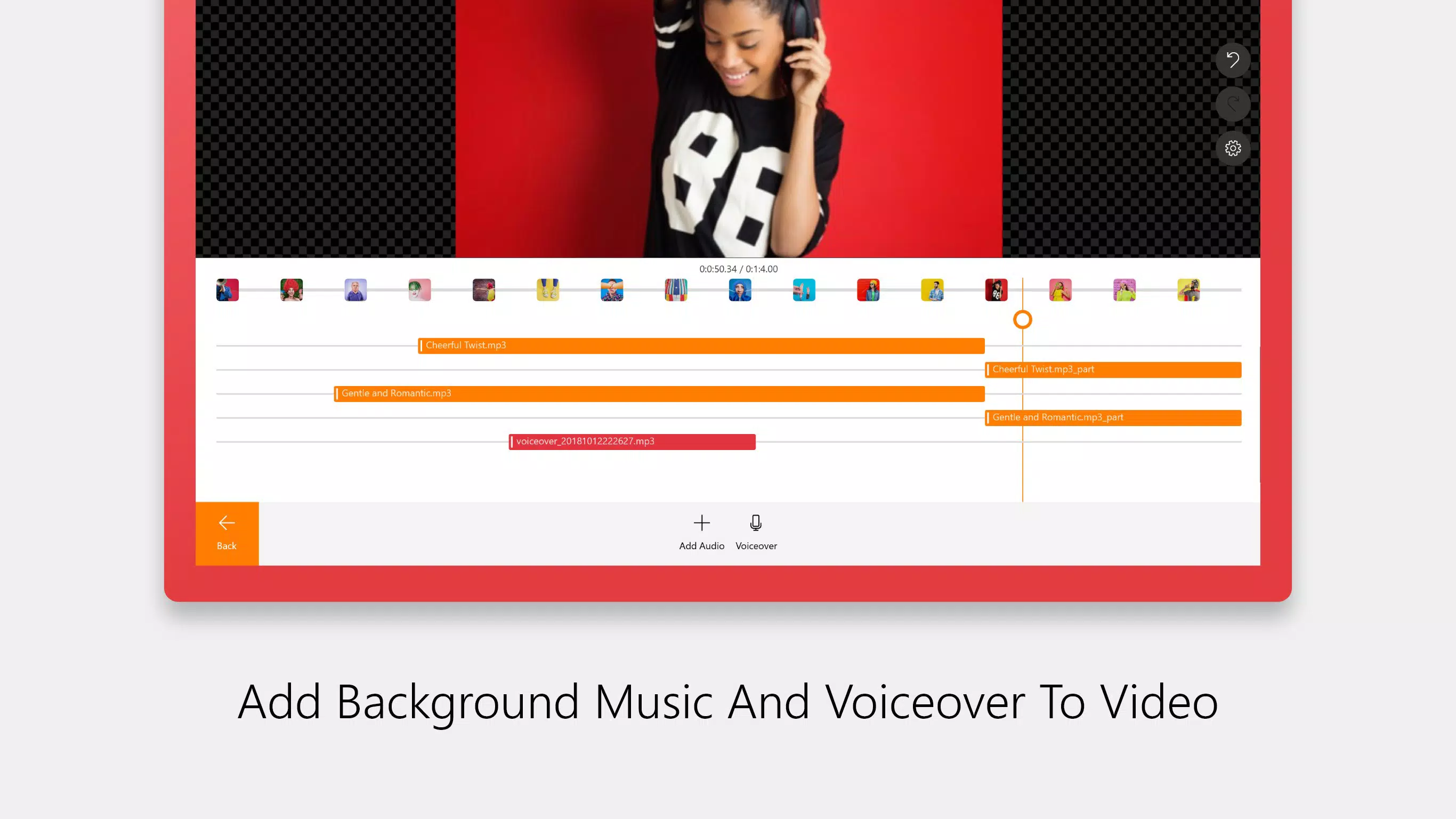
- Audio Enhancement: The ability to add background music, voiceovers, and synchronized audio tracks supports richer storytelling and professional polish.
- Visual Effects and Transitions: A library of effects—including glitch, slow-motion, and animated titles—enables users to elevate their videos with creative flair.
- Multiple Export Formats: The app supports various aspect ratios and output formats optimized for platforms like Instagram, YouTube, and IGTV, ensuring content is properly formatted for each destination.
- Free and PRO Versions: A free version offers foundational tools for experimentation, while the PRO upgrade removes watermarks and unlocks advanced features, providing a scalable path for growing creators.
For example, a family might use Animotica to compile vacation footage with music and animated text, turning raw clips into a shareable memory film. Similarly, a small business could create promotional reels by combining product images with voiceover narration and dynamic transitions. These real-world applications highlight the app’s versatility and practical value across personal and professional contexts.
Interface, UX & Performance
The user interface of Animotica - Movie Maker is structured around simplicity and clarity, prioritizing ease of use without sacrificing functionality. Navigation is intuitive, with toolbars and menus arranged in a logical flow that aligns with common video editing workflows. Visual feedback is consistent, and interactive elements respond promptly, contributing to a smooth user experience. The app’s design emphasizes accessibility, making it approachable for users unfamiliar with professional editing software.
Although the developer did not list formal performance metrics, the app’s 142.7 MB file size suggests a lightweight footprint, which typically correlates with efficient resource usage. This makes it suitable for a broad range of Windows 10 devices, including those with moderate hardware specifications. Responsiveness appears to be stable during basic editing tasks, such as trimming clips and applying transitions. The app maintains stability across multiple sessions, with no reported issues related to crashes or freezes under normal usage conditions. However, specific performance benchmarks on low-end devices were not disclosed.
Overall, the UX is optimized for continuous editing without interruption, allowing users to iterate on their projects efficiently. The consistent layout and predictable behavior reduce cognitive load, enabling users to focus on creativity rather than technical navigation.
Platform Compatibility & Technical Requirements
Animotica - Movie Maker is designed specifically for the Windows 10 operating system. The current version is 2.1.0, with a file size of 142.7 MB, indicating a compact and efficient installation package. This size is typical for a desktop application with multimedia editing capabilities, allowing for quick downloads and minimal storage impact.
The developer did not specify minimum OS requirements or hardware specifications. As such, compatibility with older or newer versions of Windows beyond 10 remains unclear. Similarly, no details were provided about processor, RAM, or GPU requirements. While the app functions on Windows 10, users should verify system compatibility before installation, especially on devices with limited resources. The absence of information regarding future updates or support timelines also leaves room for uncertainty regarding long-term usability.
Pros and Cons
Pros
- Intuitive interface suitable for beginners and intermediate users
- Free version available with core editing features
- Supports integration of video and photo content
- Offers multiple export formats for social media platforms
- Includes a range of visual effects and transitions
- Lightweight file size (142.7 MB) for fast installation
- PRO version provides watermark-free output and advanced tools
Cons
- Developer did not provide technical specifications or system requirements
- Compatibility with Windows versions beyond 10 is not confirmed
- No information on update frequency or long-term support
- Performance on low-end devices was not tested or disclosed
- Advanced features are locked behind a paid PRO version
- Limited information on cloud sync or project backup options
FAQ
Is Animotica - Movie Maker free to download and use?
Yes, Animotica - Movie Maker is available as a free application. It includes essential editing tools for creating videos and slideshows. Additional features and watermark removal are available through a paid PRO version.
Can I use Animotica on Windows 11?
The app is officially designed for Windows 10. While it may function on Windows 11 due to compatibility, the developer did not confirm official support for this operating system.
What video formats does Animotica support?
Animotica supports a variety of video formats suitable for editing and export. The app allows users to create content in multiple aspect ratios and formats optimized for platforms like YouTube, Instagram, and IGTV.
Does Animotica offer cloud storage or project syncing?
The developer did not disclose whether cloud storage or project synchronization features are available. Projects are likely saved locally on the user’s device.
How often is Animotica updated?
Specific update frequency was not provided by the developer. Users should check the official source for the latest version and potential improvements or bug fixes.
Final Thoughts
Animotica - Movie Maker stands out as a practical and accessible video editing solution for Windows 10 users. Its clean interface, combined with a solid set of editing tools and export options, makes it a valuable asset for both personal and small-scale professional projects. The free version lowers the barrier to entry, while the PRO upgrade offers a clear path for users seeking enhanced capabilities. Though technical details remain limited, the app’s consistent performance and user-centric design demonstrate reliability and focus on creative empowerment.
Individuals who want to create engaging content for social media, preserve memories in video form, or explore video editing without a steep learning curve will find Animotica to be a compelling choice. Its lightweight nature and straightforward workflow ensure a smooth experience across a variety of devices.
Download Animotica - Movie Maker now


